My role as a Technology Integration Specialist with Forward Edge has taken a twist this school year. I am supporting teachers in the Felicity-Franklin Local School District for the third year in a row. Two years ago, I was there two days a week. Last year, I was there three days a week. This year, I will be there every day they have school!
So, here’s the twist: I will still be supporting their implementation of educational technology, K-12. But this year, Felicity-Franklin is implementing a new makerspace, and I have been so fortunate to see it grow from an idea to a reality.
Our first two projects in the Active Learning Center are complete, and they were a great way to get started.
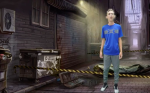 The Forensic Science high school class researched careers in the field, and created brief informational videos about them. They recorded their videos in front of a green screen, and used OBS (Open Broadcaster Software) to superimpose their videos on backgrounds that matched each topic.
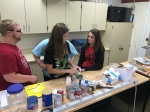 Several Agricultural Education classes participated in a Catapult Challenge. In this project, students had to design and build a device that would perform three different tasks.
Design Thinking and Learning-by-Making is built upon exploring questions that do not have a “one right answer”, and students get plenty of opportunity to brainstorm, build, test, refine, as many times as they need.
I heard students say, several times, “Let’s try both ways and see what works better.” “Can we try again?” “What if we…?” I never heard one student speculate about what their grade might be. They weren’t worried about a grade.
It was a little noisy. It looked a little chaotic at times. But, we had zero behavior problems. Our makerspace is a little under 900 square feet, and our biggest class was 27 students. It felt a little crowded at the “build space” when four or more teams wanted to use it, but we weren’t stepping all over each other.
Some students had the idea of using their school-issued Chromebooks (or their personal phones!) to research catapult designs to get ideas for where to start or where to improve their designs. They were a little nervous to let the adults see them doing this. They’ve grown up to believe that looking up an answer is against the rules. But, when the question is constructed properly, looking things up is “research”, not “cheating.”
Perhaps my favorite observation came from the class using the green screen. They were fairly hesitant to get in front of the camera to record their first video. I had visions of the students “ooh-ing” and “aah-ing” over the technology and the opportunity to do something different! In reality, everyone wanted to go last. Eventually, the teacher imposed a list of who would go when, and the students complied. However, when they came back the second day, it was a completely different story. I posted the videos from their first day in their online course management system, so they had a chance to see them before coming back. When they returned to the makerspace, they were all ready to have a chance to do their video again. They saw what they had done, and they saw that it could be watched by everyone else in their class. Now, they wanted to do it better, and they knew where they needed to make improvements.
Try. Review and reflect. Refine. Try again. That type of approach to learning results in remarkable achievement.
 I had a good bit of experience with the
  As luck would have it (it was pure luck, unless the application reviewers did a lot of homework on the applicants), I happened to be at the same session as Mike Marotta, someone I have followed on Twitter for a long time, and learned many things from over the years. Mike is an Assistive Technology expert, the 2017 ISTE Inclusive Learning Network Outstanding Educator award recipient, and he serves schools in the state of New Jersey as an Assistive Technology resource. We had never met face-to-face that either of us can remember, despite so many common interests, so this was a treat on multiple levels. We got to work together, and get a chance to get to know each other face-to-face.
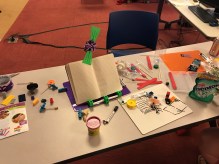 The group work time made this even more powerful. Day Two of Picademy was focused on groups developing their own project ideas. One workshop participant (a classroom educator from Detroit, MI) had an idea for a device that would help turn the pages of a book for someone who was unable to do this on their own. Mike Marotta and I thought that sounded like a great idea for a project, with lots of opportunity to put our newfound knowledge to work on a problem we were both very familiar with. So, we joined that team and began working with the physical materials we had available.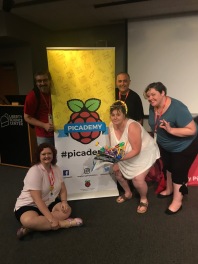
 In my work as an instructional technology coach this school year, I have been supporting Felicity-Franklin Local Schools with rolling out Chromebooks to all students, grades 5-12. Some of the students have difficulty (for various reasons) using the Chromebook in its typical setup. Through a variety of accessibility features, students are using their Chromebooks in a variety of ways to accomplish tasks. Here are some of the most useful for us:
 I recently was invited to a webinar that was focused on STREAM education. Many are familiar with STEM and STEAM. But STREAM was new to me. The second part of the title of the webinar was “R for reading.” Reading. We have to add reading to acronyms for education. When did reading leave the classroom? Did we start to focus so much on science, technology, engineering, and math that reading was left out of our schools!
 If we are going to add reading to our STEM or STEAM initiatives, then why not add music, social studies, foreign language, physical education, and everything else that we teach in our schools? STEAMMSSFLPE. Even with a focus on stem education, reading should not have gone away from our classrooms.
 michaeldroush.org